


测试
测试
测试
测试

测试
测试
测试
测试
测试
测试
测试
测试
测试
测试
测试
测试
测试
测试
测试
测试
No products found.
444242
424242
424242
424242313
3134315
52142145
15215125125125215125215
12521512521
5125151515125151
 Payment method





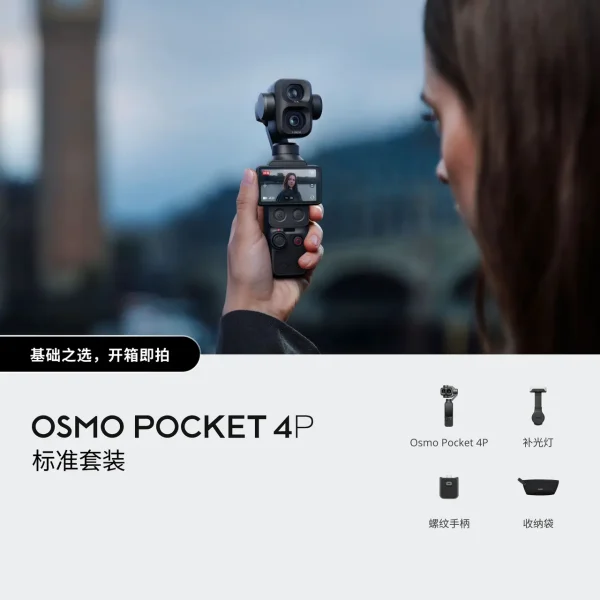
Osmo Pocket 4P Vlog
测试
测试
测试
测试
测试
测试
测试
测试
测试
测试
测试
测试
测试
测试
测试
测试
测试
测试
测试
测试
1/1.28"
6mm
Video Mode:
8K: 7680×3840@30/25/24fps
5.7K+: 5760×2880@30/25/24fps
5.7K: 5760×2880@60/50/48/30/25/24fps
4K: 3840×1920@120/100/60/50/48/30/25/24fps
360 Video Resolution
InstaFrame 2.0 (flat video):
4K: 3840×2160@30/25/24fps
1080p: 1920×1080@30/25/24fps
InstaFrame 2.0 (360 video):
5.7K+: 5760×2880@30/25/24fps
PureVideo Mode:
8K: 7680×3840@30/25/24fps
5.7K: 5760×2880@30/25/24fps
4K: 3840×2160@30/25/24fps
At the main menu, click the navigation bar -> Library -> Entertainment -> Choose a game -> Update
With PICO Connect updated to the latest version on the headset and version 10.0 on the computer, you can start the connection between your headset and computer. Once connected, the desktop streaming screen will open automatically and can be viewed in the headset.
With PICO Connect updated to the latest version on the headset and version 10.0 on the computer, you can start the connection between your headset and computer. Once connected, the desktop streaming screen will open automatically and can be viewed in the headset.

Enter your email and we will notify you when this item is back in stock.
Please select product options before adding to cart.